Invite a withdrawn buyer to rejoin the negotiation
- Navigate to the property page
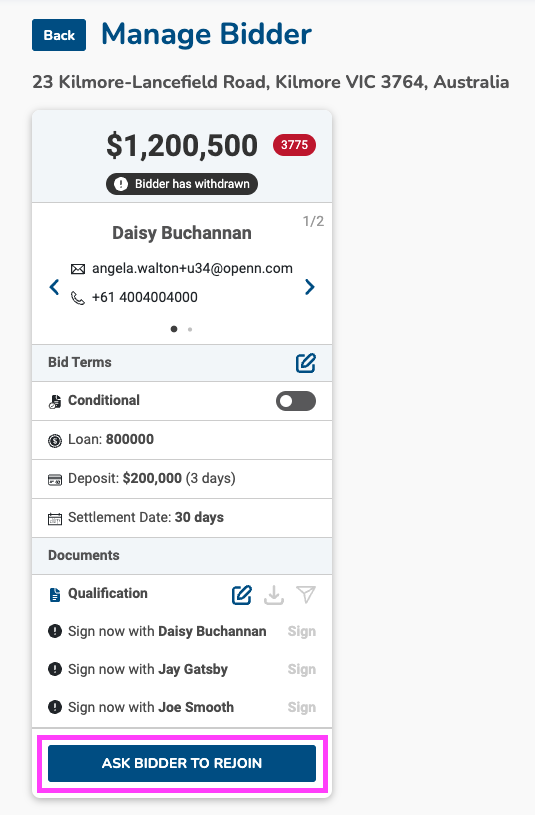
- Click on the Buyers tab and then on the buyer name to open the Manage Buyer screen
- At the bottom of the screen, select Ask bidder to rejoin
- Once selected, the status of the buyer will change from Withdrawn to Rejoin
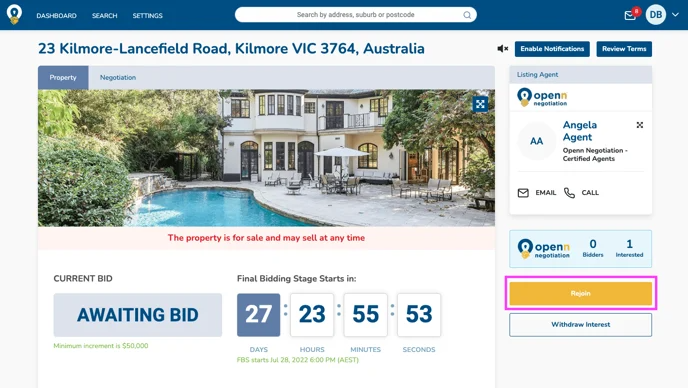
- The buyer will receive a notification via email and next time they visit the property, a Rejoin button will be available for them to place a new bid as pictured below.
If a buyer is withdrawn from a negotiation, they can only participate on the negotiation again, if re-invited by the agent.
The buyer will receive a notification via email and next time they visit the property, a Rejoin button will be available for them to place a new bid as pictured below.